MATLAB scripts for plotting/data analysis
Analyze datafiles (created by running main.py) using the MATLAB scripts found at OlfaControl_GUI\analysis.
Best practice is to download/clone the entire folder, "analysis/functions" contains the dependencies for the plotting scripts (they will not run without those functions).
Note: When running functions, MATLAB directory must be "...\OlfaControlGUI\analysis"
(import_datafile.m will not run otherwise)
To load data files:
analysis_get_and_parse_files.m
Gets raw *.csv datafile and save as *.mat file.
Description:
- Loads *.csv datafile from OlfaControl_GUI\result_files\48-line olfa
- Saves raw file to OlfaControl_GUI\analysis\data files (raw)
- Parses file, converts units, creates data structures, etc
- Saves parsed file to OlfaControl_GUI\analysis\data (.mat files)
Note: User must enter datafile name (line 57ish)
More details here
Plotting:
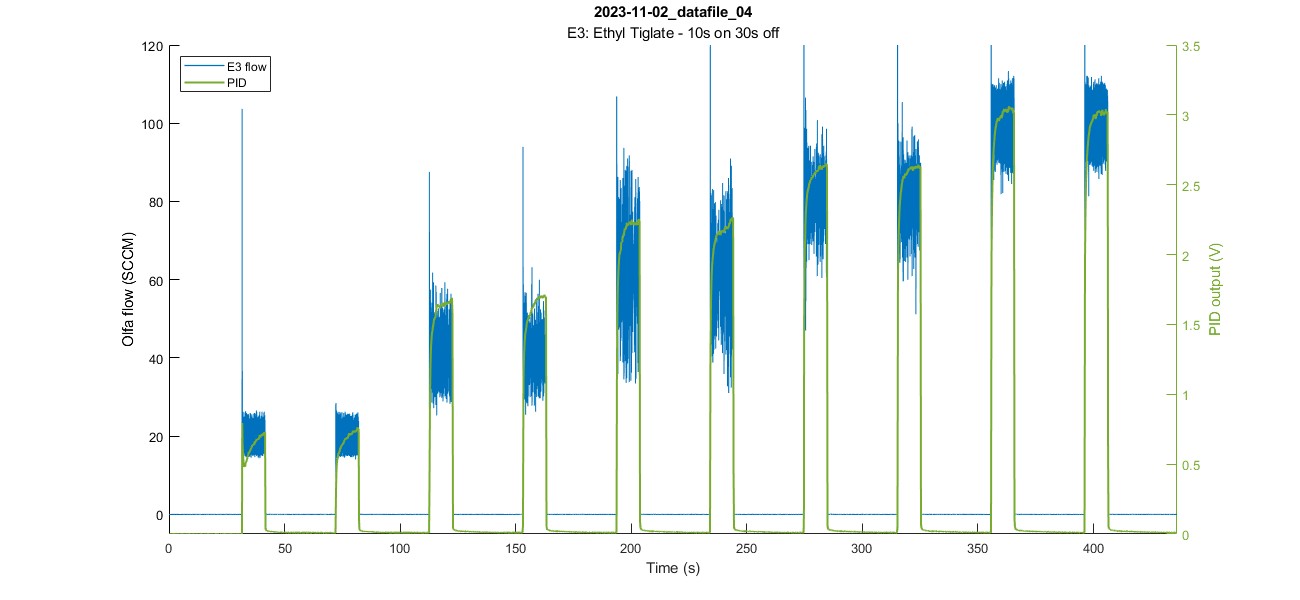
a_plot_olfa_and_pid.m
Plots olfactometer & PID data over time
Syntax
a_plot_olfa_and_pid(a_thisfile_name) creates a plot of the data in the given file over time.
a_plot_olfa_and_pid(a_thisfile_name,plot_opts) specifies the plot options.
Example:
a_plot_olfa_and_pid('2023-11-02_datafile_04',pid_lims=[0 3.5]);
Plots datafile "2023-11-02_datafile_04" with PID (Y-axis) limits set from 0 to 3.5.
More details here
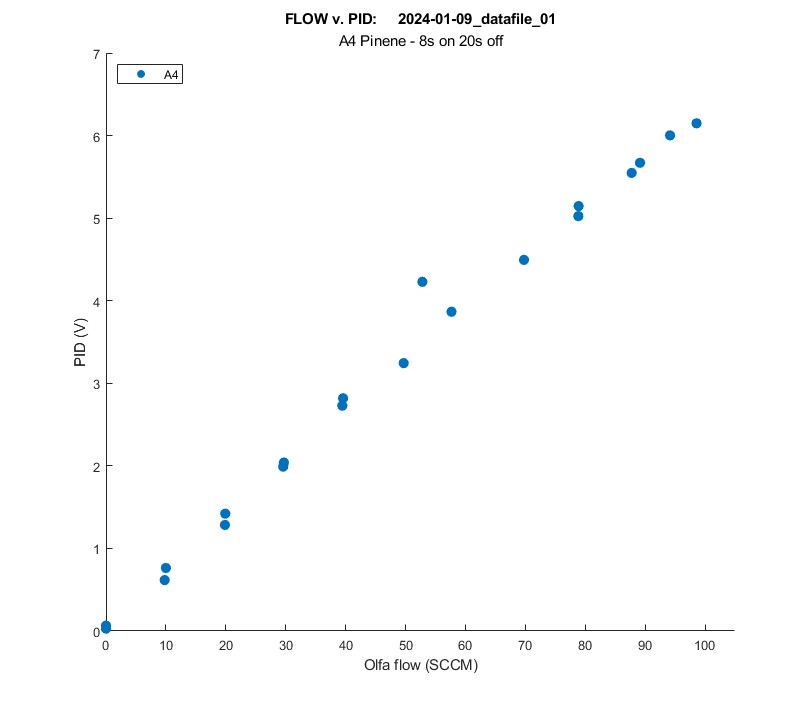
a_plot_spt_char.m
Plots setpoint characterization of trial (Flow v. PID plot)
Syntax
a_plot_spt_char(filename) plots the setpoint characterization figure (flow vs. PID) of the given file.
a_plot_spt_char(filename,plot_opts) plots the setpoint characterization figure (flow vs. PID) of the given file using the additional plot options specified.
Example:
a_plot_spt_char('2024-01-09_datafile_01');
More details here
a_plot_on_top
Plots a bunch of files on top of each other
Syntax
a_plot_on_top(file_names,a_title,a_subtitle) plots the files in the array file_names
More details here
analysis_plot_standard_olfa.m
Plots file from standard olfactometer
Description:
--> Loads *.csv file (from OlfaControl_GUI\results_files\standard olfa)
--> Parses file & saves to OlfaControl_GUI\analysis\data (.mat files)
--> Plots the setpoint characterization figure
More details here